I wrote up a post on a Commvault Design Overview on vbrainstorm. Check it out.
If you haven’t subscribed to that blog yet, get on it!
Roger Lund
I wrote up a post on a Commvault Design Overview on vbrainstorm. Check it out.
If you haven’t subscribed to that blog yet, get on it!
Roger Lund
I did some Video of the hands on labs dell had at the Dell Storage Forums. I tweeted these, but wanted my subscribers to get a chance to check what was going on at dell storage forum, if you missed the event.
I got in so early, they were still setting these labs up, so I just walked through by memory, some basic operations like creating volumes inside the compellent lab. More info here
Next, I garbed a Dell expert to talk and walk us though a couple of the dell equallogic labs.
more info here
Finnaly, I had Dell, Commvault, and Symantec show of the Dell DX Object Based storage
More info here
Enjoy
Roger L
P.S you’ll see a post on vbrainstorm on the lab design in the future.
I asked the Hard Question during the Keynotes Q&A on Monday “If your a dell partner, where is the equallogic and compellet line drawn? #dellsf11” Below is a cut from storageswiss story, please check out of the full story.
“The first question that boiled up was tweeted by @rogerlund. I’ve been a fan of Roger’s blog for a while and I thought his question got right to the heart of the matter; “What is the line between EqualLogic vs. Compellent?” In other words when do you buy a Compellent Storage System and when do you buy a EqualLogic? There were of course the quick responses of a few of Dell’s competitors of “don’t buy either” but I thought the question certainly had merit and I was curious to see the executive teams response.
The response from the Dell Storage executives was what you would have expected, “it depends”, although I expected it to be a little sharper since they had to know that question was coming. Let’s face it, these two products overlap. EqualLogic has some very large installations and Compellent has been successful in the small to medium market. Trying to pigeonhole either product does neither product any good. Different people need to accomplish different things and are going to be attracted to different kinds of solutions.
” Click here for the full story
Thanks to Storageswiss George Bio
Here are the videos so far from a view from the main event!
Enjoy!
Dell Storage Forum 2011 – Equallogic fs7500 benchmark hands on testing! enjoy.
http://qik.ly/BSFHZ5nLhD2hEwdFHJINF8P
roger l
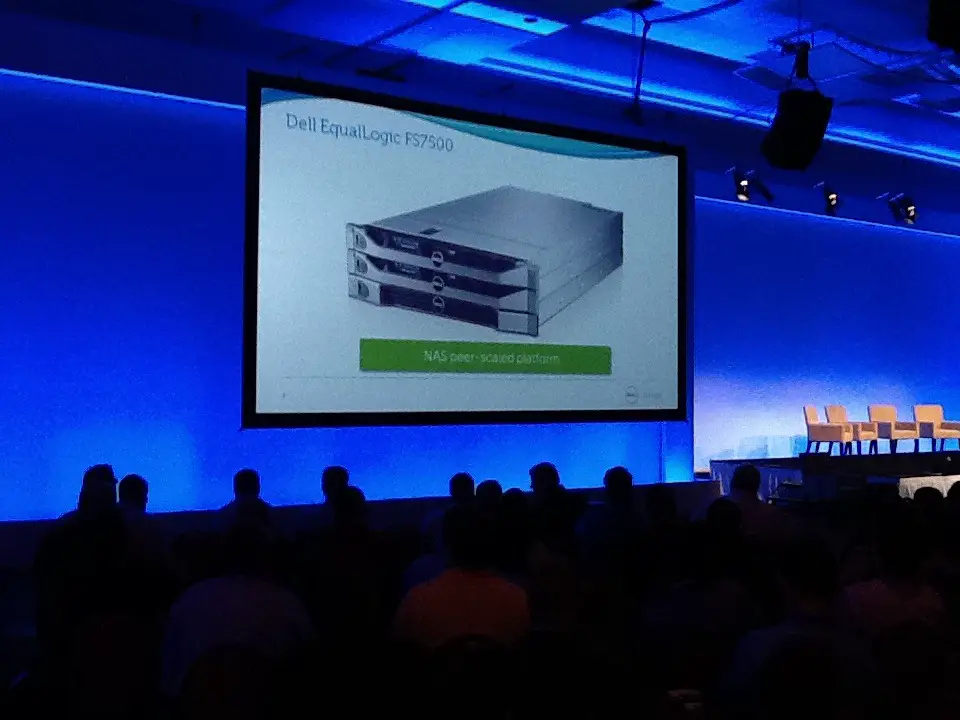
Dell just dropped the new Dell FS7500 announcement. See Pic, hands on first look will be uploaded via qik on my main blog.
Qik – dell storage forums 2011 – equallogic fs7500 first look by Roger Lund http://qik.ly/Htw46
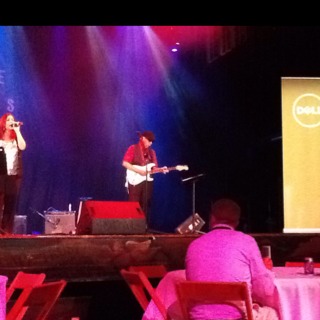
I will be directly uploading video of the events and such at the Dell Storage Forums. It will be auto embedded into my blog, and you’ll see a auto twitter post. After the event, I will recap and add context to each video.
Right now I am at the house of blues, via dell.

Yesterday I wrote about the Dell Equallogic line of products. Today, I am going to give us a overview of the Dell Compellent Fluid Data Storage platform.
Comepellent has a nice white paper titled
Fluid Data Storage: Driving Flexibility in the Data Center
Dell Compellent takes a different approach to data than a traditional San. Dell Compellent is about Fluid Data Architecture, which includes the following. (taken from the above link)
Since I have some Dell Compellent experience, I will do my best to put each into context.
“Dell Compellent storage is enabled by a dynamic Fluid Data architecture that actively, intelligently manages data at the block level. Specific information about each block is captured in flight throughout the day to provide real-time intelligence for dynamically storing, migrating and recovering data. These use characteristics are gathered using minimal system overhead but can be extensive. Examples include the type of data stored, disk drive used, RAID level, time written, frequency of access and more.”
Basically, this manages data for you, by placing new data in faster locations and moving data that is just being read into a different tier, as a example. Which I will get into later.
“Managing data at the block level also enables Dell Compellent to virtualize storage at the disk level.
Storage is presented to servers simply as capacity, regardless of disk type,
RAID level or server connectivity.”
Within a Dell Compellent San, different disk types, speeds, and raids all are within the same Virtual storage. Volumes are mapped directly with ease. You can map volumes to single servers, or clusters, from the Storage Center management application, or even a VMware vSphere Client plugin.
“Dell Compellent significantly reduces the cost of storage by enabling you to purchase and manage fewer disk drives now and in the future.
Dell Compellent Thin Provisioning software, called Dynamic Capacity™, completely separates allocation from utilization, eliminating preallocated but unused capacity.”
With a Dell Compellent San, all storage is thin provisioned, allowing for huge pre allocation storage savings. The Dell Compellent Storage Center Management application gives you a great overview of current allocation of used space, along with estimates based on usage until full, per tier.
“To continue containing costs throughout the lifecycle of enterprise data, Dell Compellent leverages an innovative data movement engine that integrates intelligent tiering with advanced virtualization.”
Dell Compellent Data Progression movies data from Tier’s in order of the disk speeds in your array. New data is written within a Higher Tier and moved down in Tiers, and therefore disk speed.
Tier 1 > Tier 2 > Tier 3.
Data is also written on the outside of the disks if needed, to increase system performance.
Basically, as data ages, the idea is it is cheaper to have it on Sata disk, than SSD, or SAS. This technology will automatically do this. I have seen in work, and it works well.
“With Dell Compellent, snapshots are space efficient because Data Instant Replay™ software doesn’t require a full mirror image or subsequent full-volume clones. In fact, only changes in data since the last snapshot, or Replay, need to be captured, dramatically reducing the amount of disk space required.”
Dell Compellent does a great job of managing data at the block level, this makes snapshots fast. Enough said.
“Dell Compellent Thin Replication™ technology, Remote Instant Replay, provides affordable, verifiable and simplified multi-site data protection leveraging space-efficient Replays. Following initial site synchronization, only incremental changes in data need to be replicated.”
Since the Data in Managed on a block level, again it makes replication easier and faster. Dell Compellent doesn’t require same disk or storage protocol to be used on the replication partner. You can even use pre configured portable drives for initial replication.
“With Dell Compellent, there is no need for specialized skill sets or ongoing systems training. Wizards guide users through system setup and application configuration, making even advanced operations simple and straightforward.”
The Dell Comepellent Management interface is a easy to use, web management solution. In addition , Enterprise Manager, allows extensive reporting and trending of uage and or performance.
“Unlike systems that require you to rip and replace hardware as your business needs change, Dell Compellent supports the continual adoption of new technologies on a single, modular platform. This isa major departure from the status quo, which imposes artificial restrictions on everything from drive type to server interconnect.”
This allows for the same code set across the line of controllers, and by large the difference in controllers in cpu, cache, and I/O slots. The controller’s are Clustered, allowing for failover in a downtime , or planed event.
—-
Dell Compellent has detailed information on each of the above Here.
—-
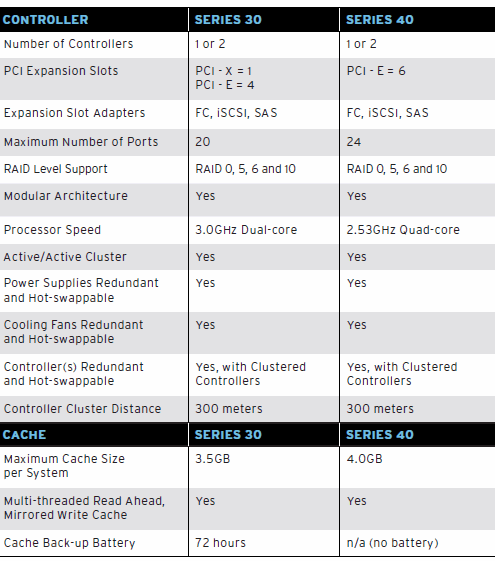
Today the Compellent Storage Center 4.5 has the following technologies. Compellent SAN Technical Specifications * note, I will summarize to my best abilities. The following is taken from the above link/document.
“Fibre Channel and iSCSI server connectivityDrives, Enclosures• Supports any external interfaces and drives • SAS • FC • SSD • FCoE • iSCSINAS• Storage Center with NAS (boots from Compellent SAN)• zNAS (boots from Compellent SAN)”
Detailed Hardware information, included dedication pages with additional information can be found Here.
—
Make sure to check out the CompellentCML’s Channel on youtube. Here are a few suggestions.
Compellent Live Volume Demo Part 1
Compellent Live Volume Demo Part 2
DEMO: Initial System Configuration
DEMO: Maximizing Storage Efficiency and Utilization with Compellent
DEMO: Establishing Remote Replication with Compellent
DEMO: Adding Storage on the Fly with Compellent
DEMO: Rapid Local Recovery with Compellent
DEMO: Intelligent Data Tiering
DEMO: True Thin Provisioning with Fluid Data storage from Compellent
I hope this gives you of you new to Dell Compellent a good understanding of the product.
Roger Lund
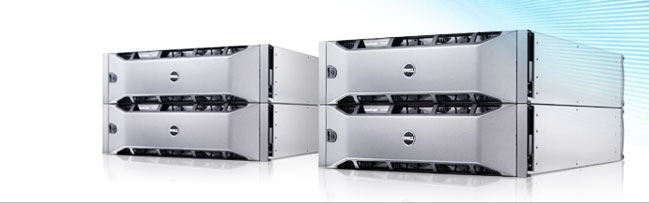
The Dell Equallogic line has be a increasingly popular Storage Platform. I wanted to do up a prep for those of you new to Equallogic, to give you a starting point; both if your attending Dell Storage Forum 2011, or just exploring Storage options. Equallogic Storage is all iSCSI based. Dell has a large area with lots of Resource, Here
The below image is from dell.com, and it is copy righted by Dell.
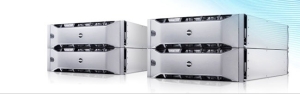
To start, take a look at the PS Seriries Overview Here Gives you a idea of the capabilities.
Some of those are as follows:
Peer technology, allowing ease of management
Auto Provisioning , self managing storage.
Simple San to San Tiering, and replication.
Snap shot technologies, both VMware / Hyper-v and Microsoft Application VSS.
VMware SRM compatibility.
There are a large number of different array’s to choose from today. If we look at them Here we can get a idea of some of the differences.
I’ll outline a few differences at a high level.
All units have two controllers.
If we start at the PS4000 series, we are looking at two gig interfaces , with a varied amount of total drive capacity. The configurations varie on maximum number of drives, and drive technologies , from SATA , SAS, or SSD.
The PS600x Series offers larger drive configurations and four gig connections per unit.
Next the 601x series, have two gig connections and like the above, but additionally have two 10GB iSCSI ports.
The beautiful thing about the over all solution is the software, and how the different storage model’s all work together. A total of 16 Array’s can be in one service group, including two PS4000 series array’s.
A little birdie told me that all of the software features, I talked about above, like VSS snaps, and replication are included with the hardware cost. ^^
Before to check out the Demo’s of the product , Here
I hope this overview gives those of new to Equallogic a new enlightenment in to one of Dell’s strongest product offerings.

I am trying this from my Ipad, so any feedback is welcome.
Roger Lund
– Posted using BlogPress from my iPad
I am pleased to announce that I will be attending the Dell Storage Forum 2011. See Here for a copy of the customer agenda or Here for a copy of the partner agenda.
I’m not the first to write on this, I found this blog post, from check it out.
What does my schedule look like?
I am planning on hitting most of the comepellent sessions, and hope to do some strong networking also.
Please DM me or e-mail me if your attending and i’ll put you below. And the same go’s if you want to meet up.
I am thinking of getting a group together one night to talk comepellent, any interest?
Here is a list of twitter users that have communicated that they are attending.
Dell has created the following list and is updating it. http://twitter.com/list/DellSF/dellsf11#list/DellSF/dellsf11
*note* if you didn’t have your full name on your twitter page, I apologize, DM me and I’ll update this post.
Kristy Wilke http://twitter.com/#!/kwilkemn
Don’t forget to bring your event badge, and please share your Twitter handle when you get your ticket.
We look forward to seeing you there!”
I am looking forward to the event!
Roger Lund
